
ChatGPT Vocabulary Trainer
Practice your saved vocabulary words in real AI conversations. Shchebitka connects your personal word list to ChatGPT — so every practice session is built around the exact words you chose to learn.
How to connect Shchebitka to ChatGPT
Find Shchebitka in ChatGPT
In ChatGPT, go to Apps and search for "Vocabulary trainer" or "Shchebitka". Tap Vocabulary Trainer Shchebitka to connect it.
Open Shchebitka in ChatGPT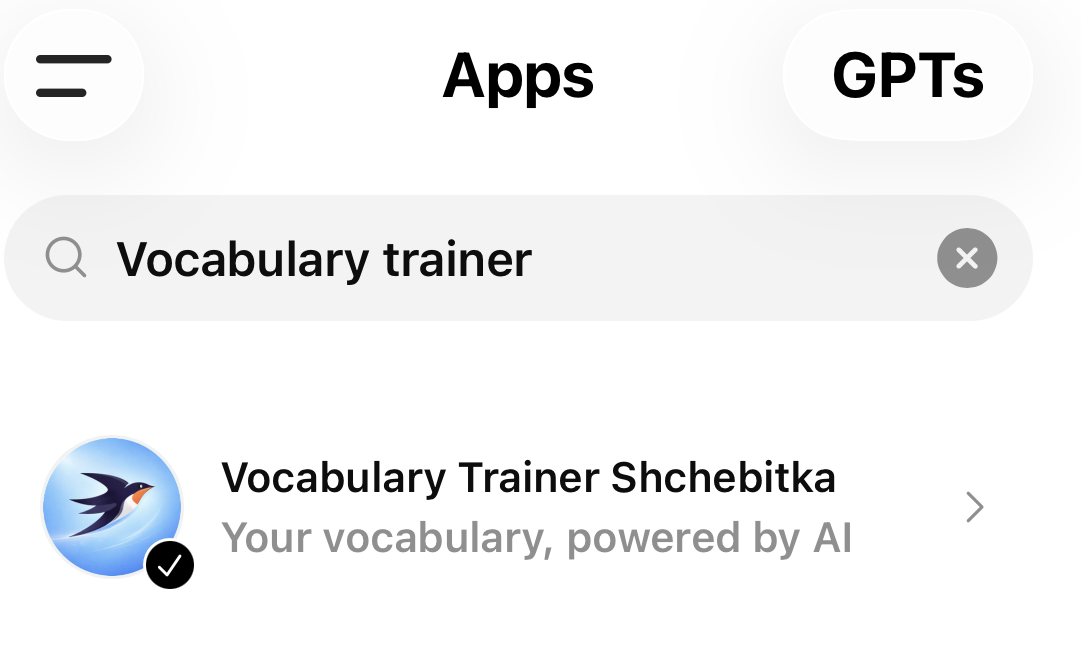
Connect and sign in
Click "Connect" when prompted. You will be redirected to the Shchebitka sign-in page. If you don't have an account yet, click "Register" to create one.
Confirm your email if needed
After registration, check your inbox for a confirmation email and click the link inside. This step is required to activate your account.
Start a new chat
Once connected, start a new chat. Click the + button to add a plugin and type "Shchebitka" to attach the vocabulary trainer.
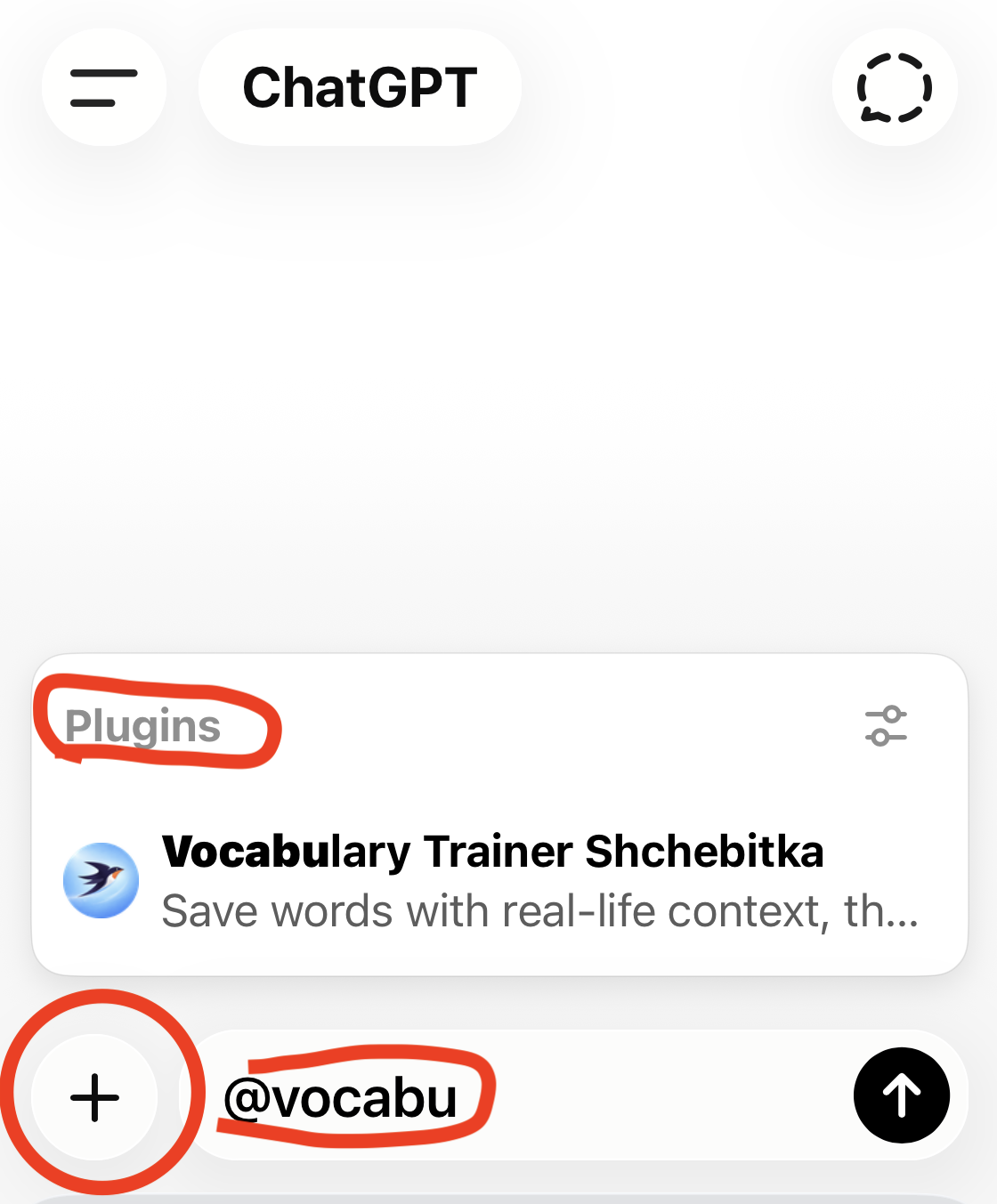
Try your first prompt
Type "Tell me more about vocabulary", "Show my vocabularies" or "Create a new vocabulary" to get started.
Sample prompts to try
- ›Show my vocabulary lists
- ›Create a new vocabulary list Weather
- ›Open my vocabulary list Weather
- ›Show all words from vocabulary list Weather
- ›Generate 10 words for my vocabulary list Weather
- ›Generate context for my vocabulary words
- ›Add a question for each word in my vocabulary Weather
- ›Generate a story from my vocabulary Weather
Using voice mode?
Not all ChatGPT voice models support tool calls, so Shchebitka may not be able to access your vocabulary during a voice conversation. If that happens, switch to the Standard voice model: open your User profile → Voice → Voice Model and select Standard.
Before switching to voice, ask ChatGPT to show your word list first. This loads your vocabulary into the conversation so voice mode can reference it.
Why ChatGPT for vocabulary practice
Conversational context
You practice words in real sentences and dialogue, not just definitions. Context dramatically improves long-term retention.
Immediate feedback
ChatGPT corrects mistakes and explains usage in real time, acting like a patient language tutor available 24/7.
Your words, not a generic list
Unlike language apps with fixed vocabulary courses, Shchebitka practices the words you actually encountered and want to learn.
Explore more
Save Words While Browsing
One-click word capture with the Chrome extension.
AI Vocabulary Flashcards
Flashcards built from your own saved word list.
Personal Vocabulary List
Organise words with translations, context, and definitions.
Printable Worksheets
Generate print-ready study sheets from your vocabulary.
FAQ
Common questions about Shchebitka answered.